



How to connect Binance Pay to a chatbot or other service: step-by-step guide

13
September
2024
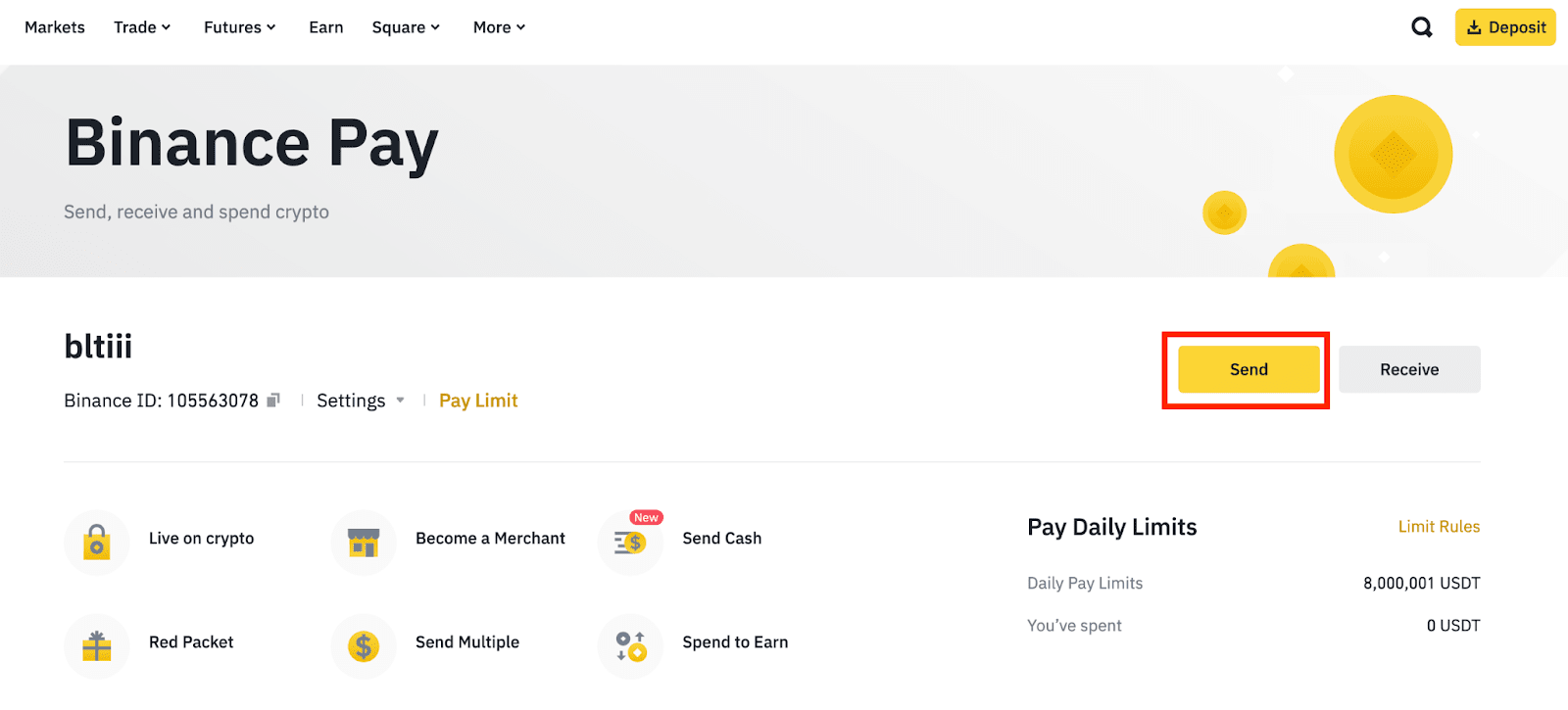
To connect Binance Pay to a chatbot or another service, create an API Key and Secret Key pair in the Binance Merchant Admin Portal and pass them to your developer securely. The service signs payment requests with them.
In short
- You need a Binance Pay merchant account and access to the Merchant Admin Portal.
- Keys are created in the developer section: the API Key identifies you, the Secret Key signs requests.
- Share the Secret Key through a password manager or secrets vault, never in chat or email.
- Besides the keys, set a webhook URL: Binance Pay notifies it when a payment succeeds.
- Accepting payments needs Binance Pay keys; exchange API keys from API Management are for trading bots.
What does "sharing" Binance Pay actually mean?
People usually mean giving a chatbot, online store or CRM the right to create crypto payment requests on behalf of their account. Technically, that is access to the Binance Pay Merchant API. The service receives your keys and creates an order, the customer pays, and Binance Pay sends the service a payment notification.
Keep the two kinds of keys apart. Exchange API keys (Profile → API Management) give access to trading and exchange balances; trading bots use them. To accept payments you need Binance Pay keys from the merchant portal.
What do you need before you start?
- A verified Binance account.
- A merchant registration in the Binance Merchant Admin Portal (merchant.binance.com). Binance sets merchant verification requirements itself and may vary them by country, so check the current document list during sign-up.
- A service that supports the Binance Pay API: a ready-made bot or platform integration, or custom development.
- An HTTPS endpoint on your server for payment notifications (webhook).
How to create Binance Pay API keys, step by step
- Open the Merchant Admin Portal. Sign in at merchant.binance.com and go to the Developers section.
- Create a key. Click "Generate API Key". Binance may ask for 2FA confirmation.
- Name the key. Use a name that says which service it belongs to, such as "telegram-bot-shop" or "site-checkout". That makes it easy to find and revoke later.
- Save the key pair. Copy the API Key and Secret Key into a password manager straight away; the secret may not be shown again.
- Give the keys to the service. Enter them in the bot or platform settings, or pass them to the developer through a secure vault.
- Set the webhook. Add the payment notification URL in the merchant settings or in the order request, depending on how your integration works.
- Run a test payment. Create an order for the smallest amount and check the whole chain: invoice, payment, notification, order status change in the bot.
How does the service use the keys?
Requests go to https://bpay.binanceapi.com over HTTPS only, as JSON. Every request carries the headers BinancePay-Timestamp (milliseconds), BinancePay-Nonce (a random 32-character string), BinancePay-Certificate-SN (your API Key) and BinancePay-Signature. The signature is an HMAC-SHA512, keyed with the Secret Key, of a string made of the timestamp, the nonce and the request body, each followed by a line feed (\n); the hex result is sent in upper case.
The server clock has to be in sync: if it drifts too far from Binance time, requests fail the signature check. Webhook notifications are signed as well, and the service must verify that signature before marking an order as paid. Otherwise anyone could post a fake "paid" message.
How to store the keys safely
- Keep the Secret Key in environment variables or a secrets store on the server. It must never appear in front-end code, in the browser or in a GitHub repository; the Binance Pay documentation says so explicitly.
- Use a separate key pair for each service. When you retire a bot, delete its key and the other integrations keep working.
- If you change contractors or suspect a leak, delete the old key in the Merchant Admin Portal and issue a new one.
- Limit who can sign in to the merchant portal: anyone with access can create new keys.
Common connection mistakes
- Exchange API keys pasted in place of Binance Pay keys.
- A stray space or line break copied into the Secret Key.
- A server clock running behind, so requests are rejected on the timestamp.
- A webhook that is unreachable from outside or returns an error, so payments never get confirmed in the bot.
- A request body that differs between signing and sending (extra spaces, a different field order).
Check the tax and legal side of accepting crypto payments with a lawyer and an accountant in your jurisdiction before launch.
Who should build the integration?
If your bot already supports Binance Pay, the keys and a webhook URL are enough. If you need your own logic, such as invoices, subscriptions, granting access after payment or syncing with a CRM, that is development work. We build chatbots for crypto companies with built-in payments and Telegram Mini Apps with checkout inside the interface. We quote the timeline after the specification, because it depends on the number of payment scenarios and integrations.
Frequently asked questions
Where do I get the Binance Pay API Key and Secret Key?
In the Binance Merchant Admin Portal, in the developer section. You need a registered Binance Pay merchant account; exchange API keys from your profile will not work for accepting payments.
Is it safe to give a chatbot my Secret Key?
Yes, if you trust the service and the key is kept in a secure secrets store on its server. Issue a separate key pair for each service so you can revoke just that one when needed.
Why does Binance Pay return a signature error?
Usually because of a wrong Secret Key, a server clock that is out of sync, or a request body that differs between signing and sending. The signature is HMAC-SHA512 and must be sent in upper case.
Why do I need a webhook for Binance Pay?
Binance Pay sends a notification to that URL when a payment succeeds, and the bot or site uses it to update the order status. The endpoint must run over HTTPS and verify the notification signature.
How do I disconnect a service from Binance Pay?
Delete its API key in the Merchant Admin Portal. Requests signed with that key stop being accepted, while other integrations with their own keys keep working.
Need a chatbot or Mini App that takes Binance Pay payments? Describe the flow and we will scope the integration after the specification.
Discuss a payment botTelegramWhatsApp
Contact us
We will answer all your questions.
 DUNS Number: 68-606-2061
 NCAGE Number: A3G3J






 "INNOVA CONSULTING GROUP"

Comments
Write comment