



Building materials online store development

20
August
2021
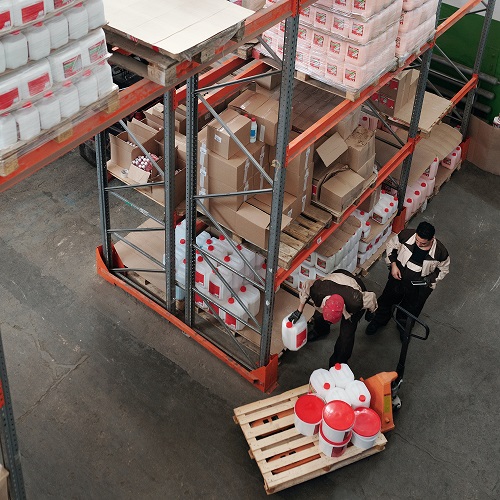
A building materials store handles a large catalogue, several units of measure and heavy deliveries. Buyers must find products by spec, work out quantities and see delivery cost to site. We build it in up to 15 working days.
In short
- The core is spec filters and coverage calculators for tiles, paint, insulation and mortars.
- Prices per unit, pack and pallet, with separate trade prices.
- Delivery is priced by weight and address, with warehouse pick-up.
- Stock and prices sync with the accounting system or CRM.
- Timing: up to 15 working days after the brief; warehouse integrations are timed after the brief.
Development stages
- Brief and specification. We record the range, stock and price sources, payment and delivery methods and manager roles.
- Platform choice. We match the CMS to catalogue size and integrations: WooCommerce on WordPress, MODX 3 or Shopify. Criteria: catalogue speed with thousands of products, price list import, support cost and developer availability.
- Prototypes and design. We design the catalogue, product page, cart and checkout in Figma and agree them with you.
- Front-end and development. We build filters, search, calculators and a trade account area.
- Catalogue import. We import products, specifications, photos and documents: certificates, instructions, data sheets.
- Analytics and promotion. We set up Google Analytics 4, product feeds to Google Merchant Center, Product markup and an SEO category structure.
What matters for a building materials store?
- Filters by size, grade, colour, manufacturer and stock.
- Coverage calculators for tiles, paint, insulation and mortars.
- Prices per unit, pack and pallet; trade prices for registered customers.
- Delivery priced by weight and address, unloading, warehouse pick-up.
- Stock and price sync with the accounting system or CRM.
How do coverage calculators work?
The buyer enters the wall or floor area and picks a product, and the calculator returns the number of packs with a cutting allowance. For tiles we account for format and laying pattern, for paint the coverage per square metre and number of coats from the data sheet, for dry mixes the layer thickness. The result goes straight to the cart. That means fewer calls to managers and fewer returns caused by wrong quantities.
How do you handle heavy deliveries?
Small items such as tools, fixings and sealants ship through the Nova Poshta API, with the cost shown in the cart. Cement, aerated blocks, bricks and steel go by your own trucks or a partner: the site prices delivery by weight and zone and offers unloading and carrying upstairs. For pick-up we show the warehouse address and when the order will be ready.
How do you sell to trade customers and building crews?
In their account, trade customers see their own prices, order history, invoices and delivery notes. The manager receives the order in the CRM (KeyCRM, HubSpot or Pipedrive) tagged as trade. Payment is by card through LiqPay, WayForPay or Monobank acquiring, or by invoice for companies. Retail receipts go through Checkbox. Stock and price exchange with your accountant’s accounting system is set up to the brief.
How long does it take to build?
From our experience a building materials store takes up to 15 working days after the brief is agreed and we have the product file. If you need an accounting system exchange, a trade account with its own prices or complex logistics, we set the timing after the brief.
How do you promote a building materials store?
- Google Shopping and Performance Max through Merchant Center. Ads go live within a few working days after we get access.
- SEO by category and city, such as "buy aerated blocks [city]" or "tile adhesive price". First noticeable results take about 3 months.
- How-to articles with calculators, such as "how many tiles for a bathroom".
Benefits of selling online
Orders come in around the clock, managers spend less time on routine questions, and buyers see stock and prices before they call. The cost depends on catalogue size and integrations, and we quote after a brief.
Projects from our portfolio
For Zimmerstec, a manufacturer of heat and water metering equipment, we built a three-language catalogue site with an admin panel for managers. For the Fairy Chest online store we designed the catalogue, product page and cart and connected online payment.
See also: promoting construction websites, furniture online store and turnkey online store.
FAQ
How much does a building materials store cost?
It depends on catalogue size, calculators, delivery logic, trade accounts and accounting system integration. We give an estimate after a brief.
How long does it take?
Up to 15 working days after the brief and product file. Accounting system exchange and complex logistics are estimated after the brief.
Which platform suits a large catalogue?
WooCommerce, MODX 3 or Shopify. The choice depends on product count, price list import, integrations and who will maintain the site.
Can retail and trade customers see different prices?
Yes. After logging in, a trade customer sees their prices, order history and documents.
How do you promote a building materials store?
Google Shopping through Merchant Center, SEO by category and city, and how-to articles with coverage calculators.
Planning a building materials store? Send us your price list or catalogue export and we will suggest a platform, structure and timing.
Discuss a building materials storeTelegramWhatsApp
Sources
- WooCommerce
- MODX Blog: MODX Revolution 3.0.0 (2022)
- Shopify
- Google Merchant Center: product data specification
- Google Search: Product structured data
Contact us
We will answer all your questions.
 DUNS Number: 68-606-2061
 NCAGE Number: A3G3J






 "INNOVA CONSULTING GROUP"


Comments
Write comment