



How to add Google Tag Manager code to WordPress

29
June
2024

To add Google Tag Manager to WordPress, paste the first part of the container code high in the head and the second right after the opening body tag. A plugin is the quickest route, a child theme the most robust.
In short
- GTM code has two parts: a script for the head and a noscript right after body.
- The quick route is the Head, Footer and Post Injections plugin or WPCode.
- The dedicated GTM4WP plugin installs the container and passes WooCommerce data.
- Edits to header.php are lost on theme updates, so use a child theme.
- Check it with GTM Preview mode and Tag Assistant.
Why use Google Tag Manager on a WordPress site?
Google Tag Manager (GTM) is a container for all of a site’s tracking codes and pixels: GA4, Google Ads, Meta Pixel, TikTok Pixel, Microsoft Clarity. You add the code to the site once. After that, tags, events and triggers are set up in the GTM interface with no theme file edits. Fewer tracking plugins mean a faster site.
Where do you get the Google Tag Manager code?
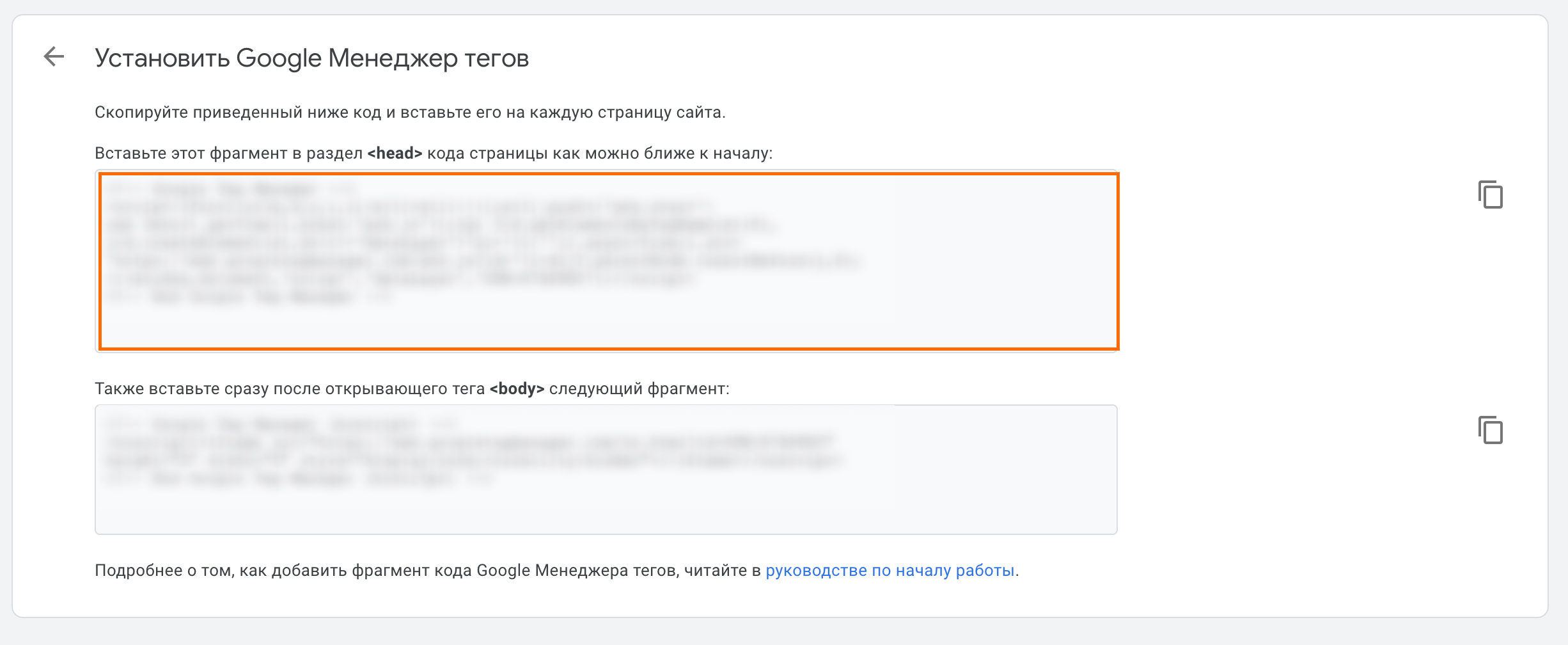
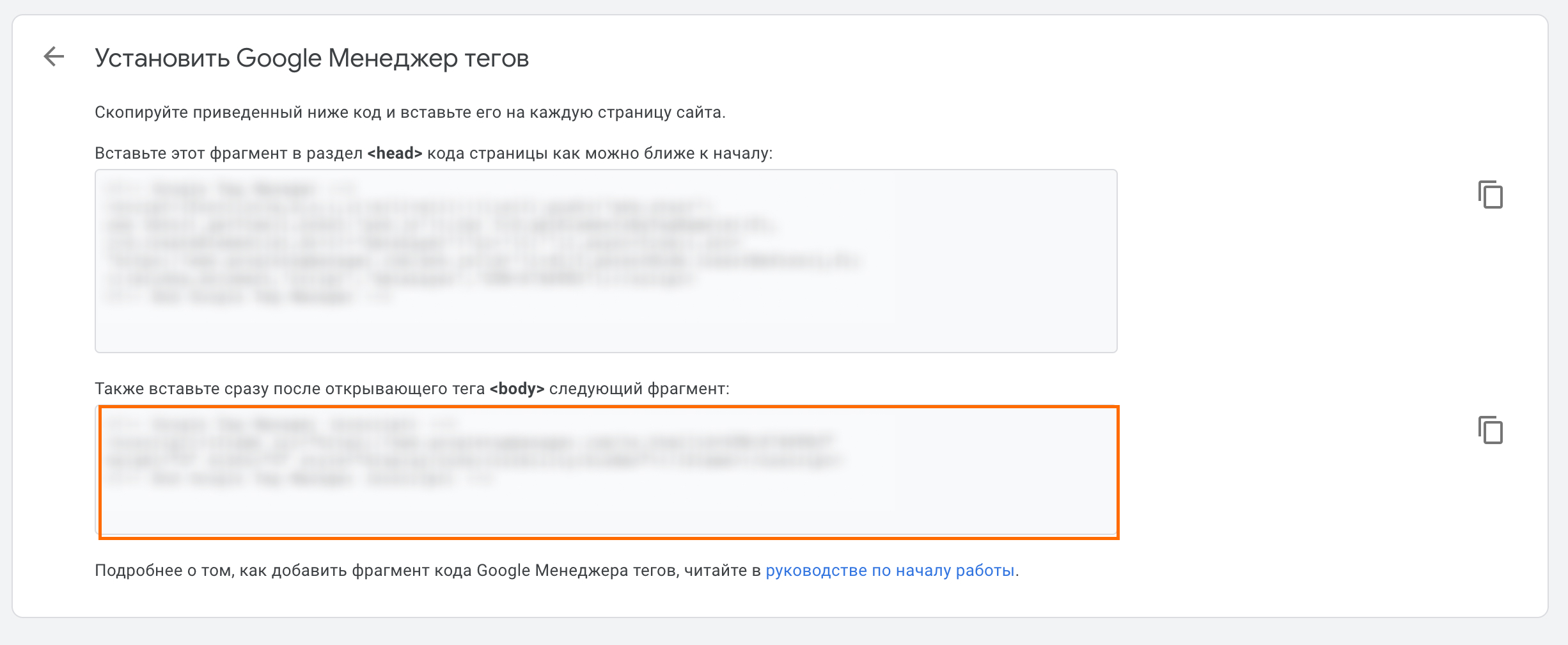
Go to tagmanager.google.com, create an account and a Web container. In the container list, click the gear icon or open Admin → Install Google Tag Manager. GTM shows two code snippets with your ID in the GTM-XXXXXXX format.

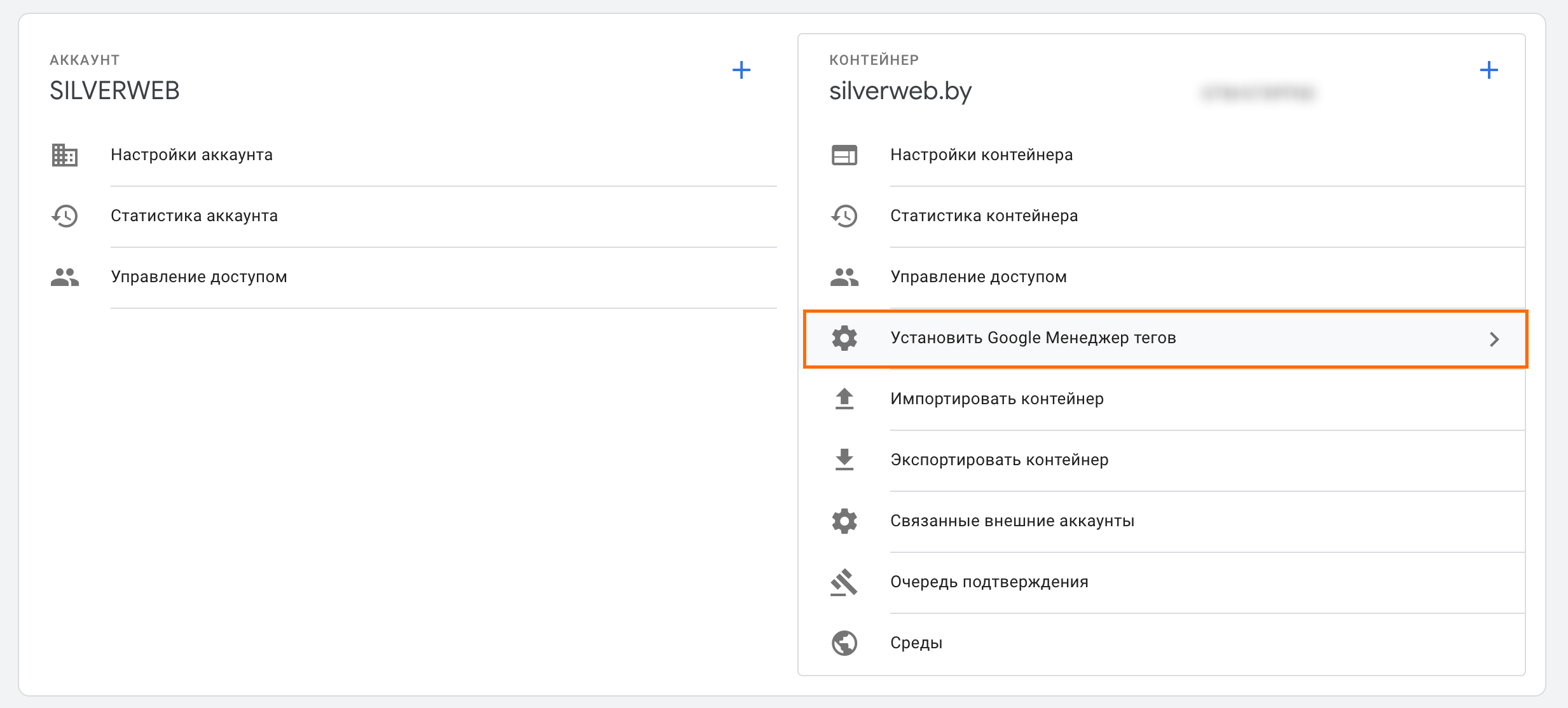
- The first part (script) goes as high as possible in the head of every page.
- The second part (noscript) goes right after the opening body tag.
Method 1. How do you add GTM with a plugin?
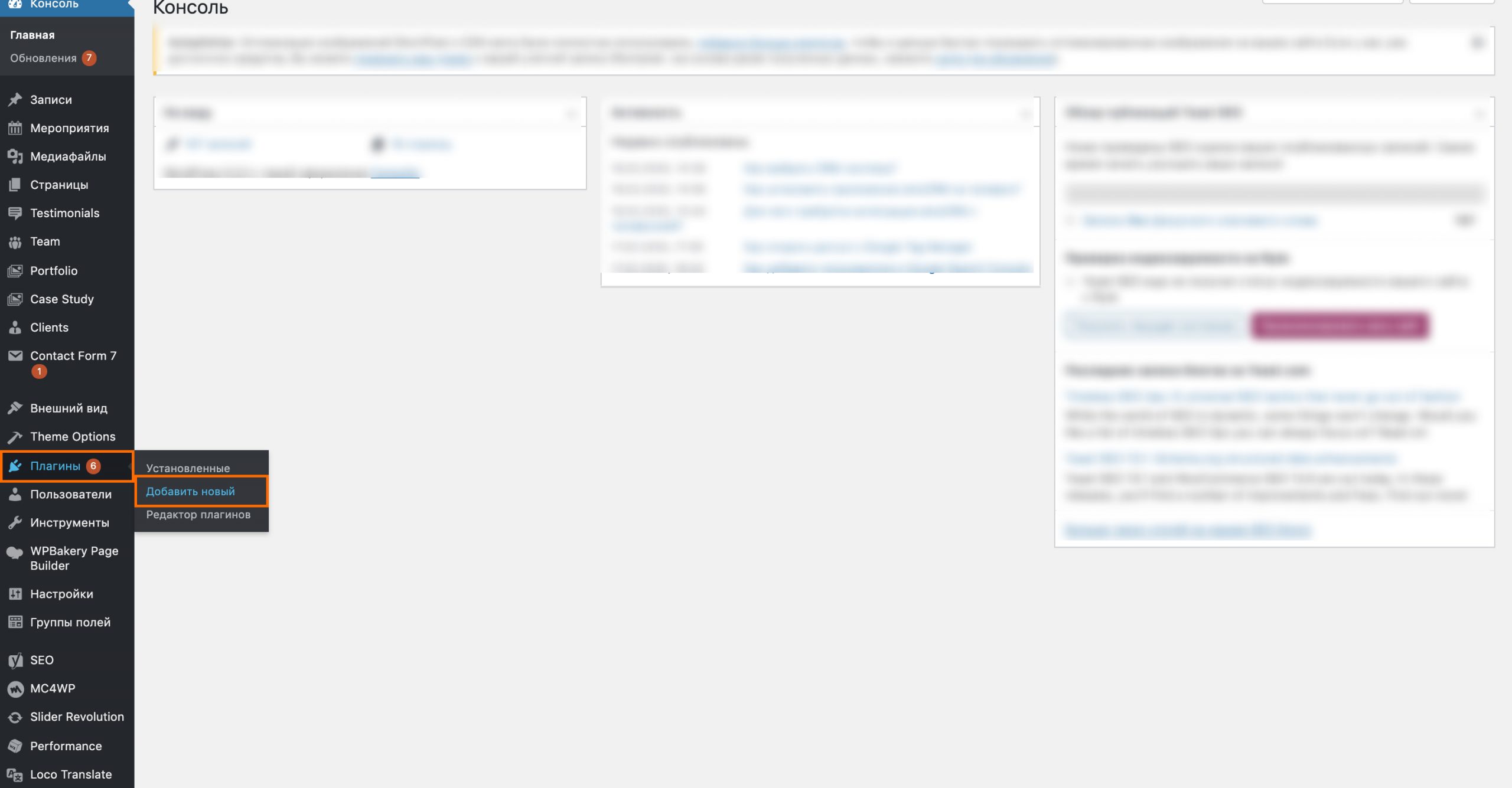
- In the WordPress admin, open Plugins → Add New.
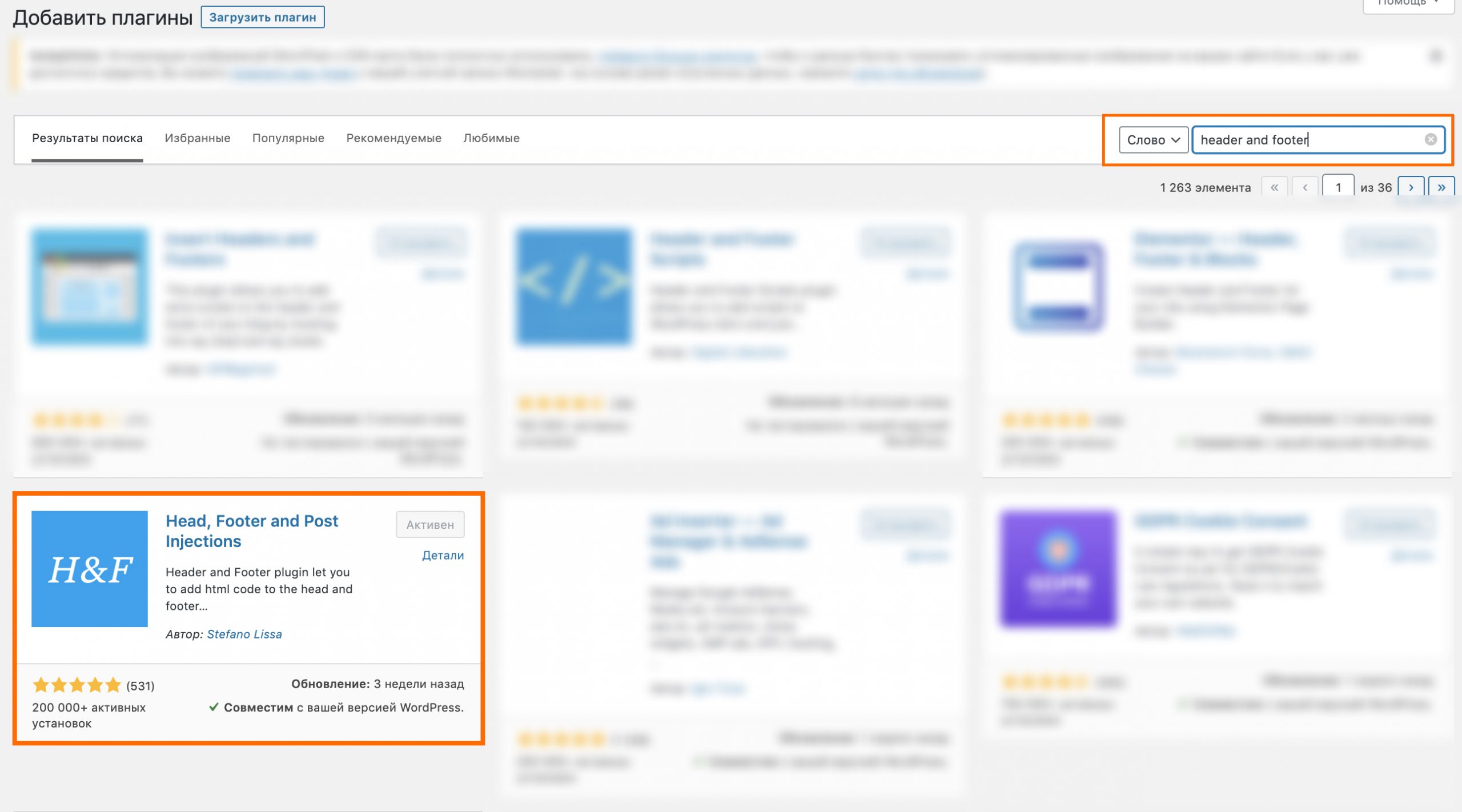
- Find Head, Footer and Post Injections (by Stefano Lissa) or WPCode and install it.
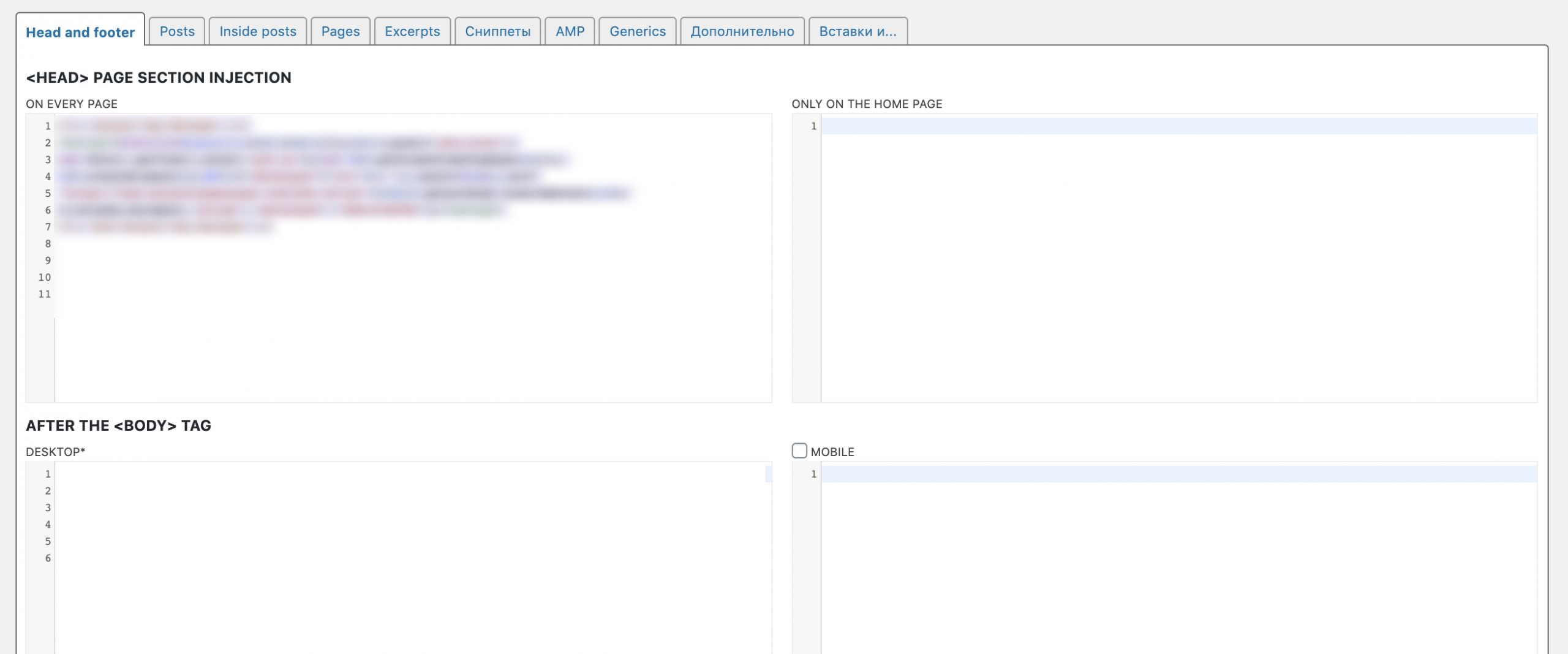
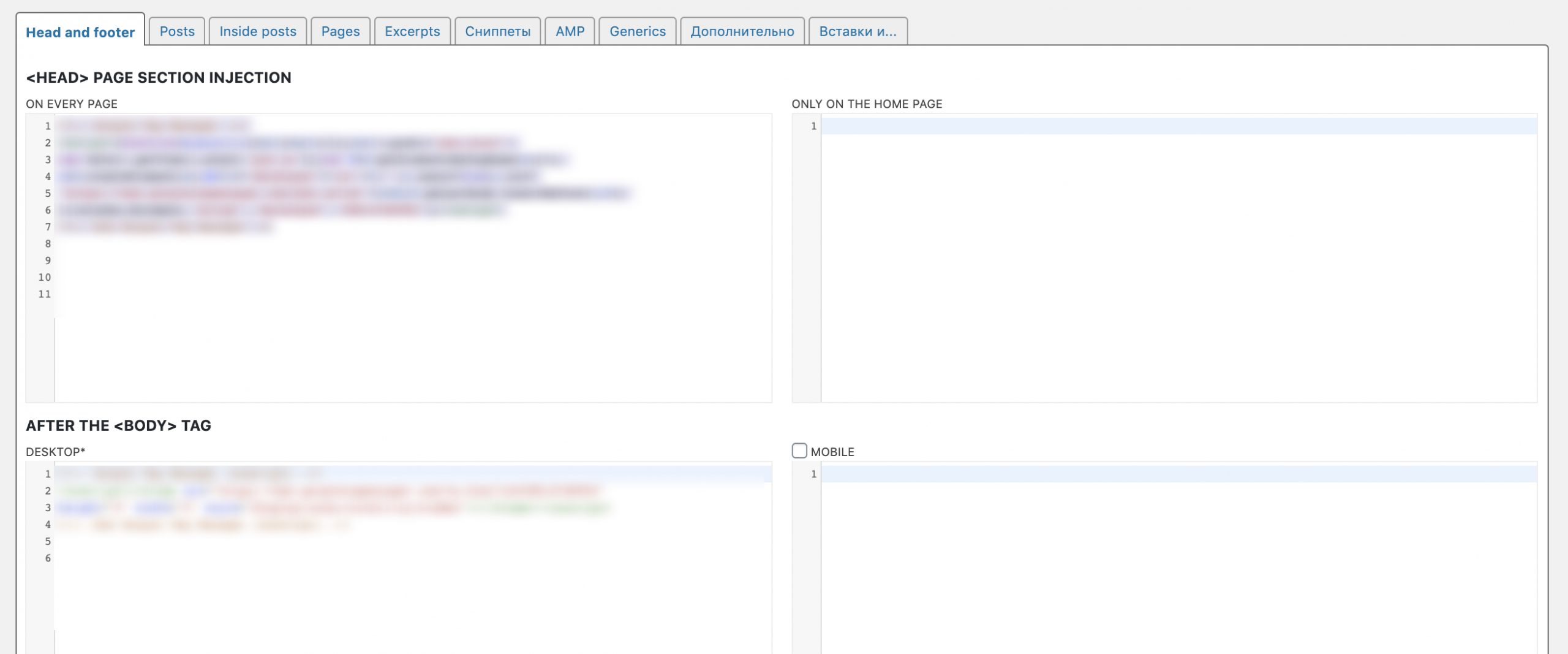
- Open the plugin settings. Paste the first GTM snippet into the head block for every page.
- Paste the second snippet into the After the body tag block.
- Save the changes.
Method 2. How do you install GTM with the GTM4WP plugin?
GTM4WP (Google Tag Manager for WordPress) is a plugin built for GTM. Install it, enter your GTM-XXXXXXX container ID in the settings and choose how the code is placed. The bonus for stores: it pushes WooCommerce events to the dataLayer, including product views, add to cart and purchases. These are easy to send to GA4 and Google Ads.
Method 3. How do you add the code manually without a plugin?
Editing header.php and footer.php in the File Editor works until the next theme update, which overwrites the changes. Block themes such as Twenty Twenty-Four have no header.php at all. The robust option is the child theme’s functions.php. The wp_head hook prints the first part in the head, and the wp_body_open hook prints the second right after body:
add_action( 'wp_head', function () {
    echo '<!-- first GTM snippet for the head -->';
}, 1 );
add_action( 'wp_body_open', function () {
    echo '<!-- second GTM snippet (noscript) -->';
} );
Replace the comments with the code from GTM. Themes built for WordPress 5.2 and later support the wp_body_open hook.
How do you check that GTM works?
- In GTM, click Preview and enter the site address. Tag Assistant opens the site and confirms the container is found.
- View the page source (Ctrl+U) and search for GTM-XXXXXXX: it should appear in the head and after body.
- Make sure the container is installed once. A double install doubles page views and conversions.
What about an existing gtag.js install?
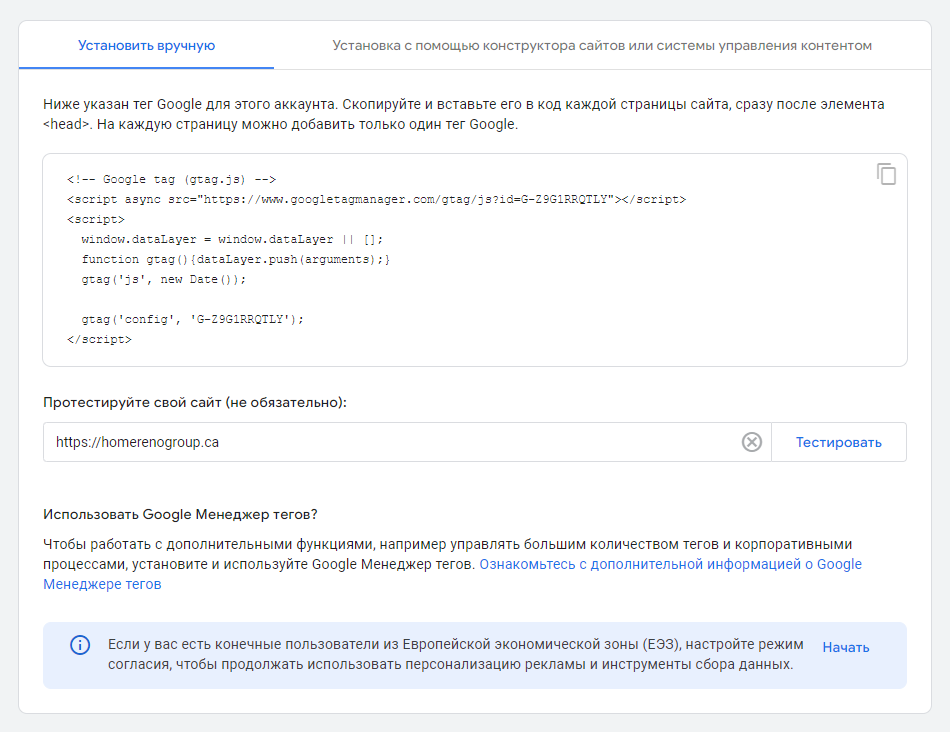
If GA4 was previously added as a standalone Google tag (gtag.js), remove the old code after moving to GTM. Otherwise GA4 counts every page view twice.
What should you set up in GTM after installation?
Start with a Google tag carrying your GA4 ID on all pages. Then add lead events: form submissions and clicks on phone and messenger links, marked as key events in GA4. Visitors from the EEA require Consent Mode v2 and a cookie banner. The full setup is in our guide on connecting Google Analytics, Tag Manager and Search Console.
FAQ
Where does the second part of the GTM code go?
Right after the opening body tag. The first part goes as high as possible in the head.
Which plugin should I use for GTM on WordPress?
For simple code insertion, Head, Footer and Post Injections or WPCode is enough. For a WooCommerce store, GTM4WP is handier because it passes purchase events.
Why did the GTM code disappear after a theme update?
The code was pasted into the parent theme’s header.php, and the update overwrote it. Use a plugin or a child theme’s functions.php.
Do I need separate GA4 code if GTM is installed?
No. GA4 is added inside GTM with a Google tag. Remove any standalone gtag.js so data is not duplicated.
Does GTM slow down a site?
The container itself is light. Speed depends on the number of tags inside it, so remove unused pixels.
Need GTM, GA4 and lead tracking set up for your ads? Send us your site address, and we will check what is installed and propose a setup plan.
Set up analytics and adsTelegramWhatsApp
Contact us
We will answer all your questions.
 DUNS Number: 68-606-2061
 NCAGE Number: A3G3J






 "INNOVA CONSULTING GROUP"


Comments
Write comment